Text-to-Collection
Tool that converts natural text into structured data tables and enables large modifications through column-based —without single editing.
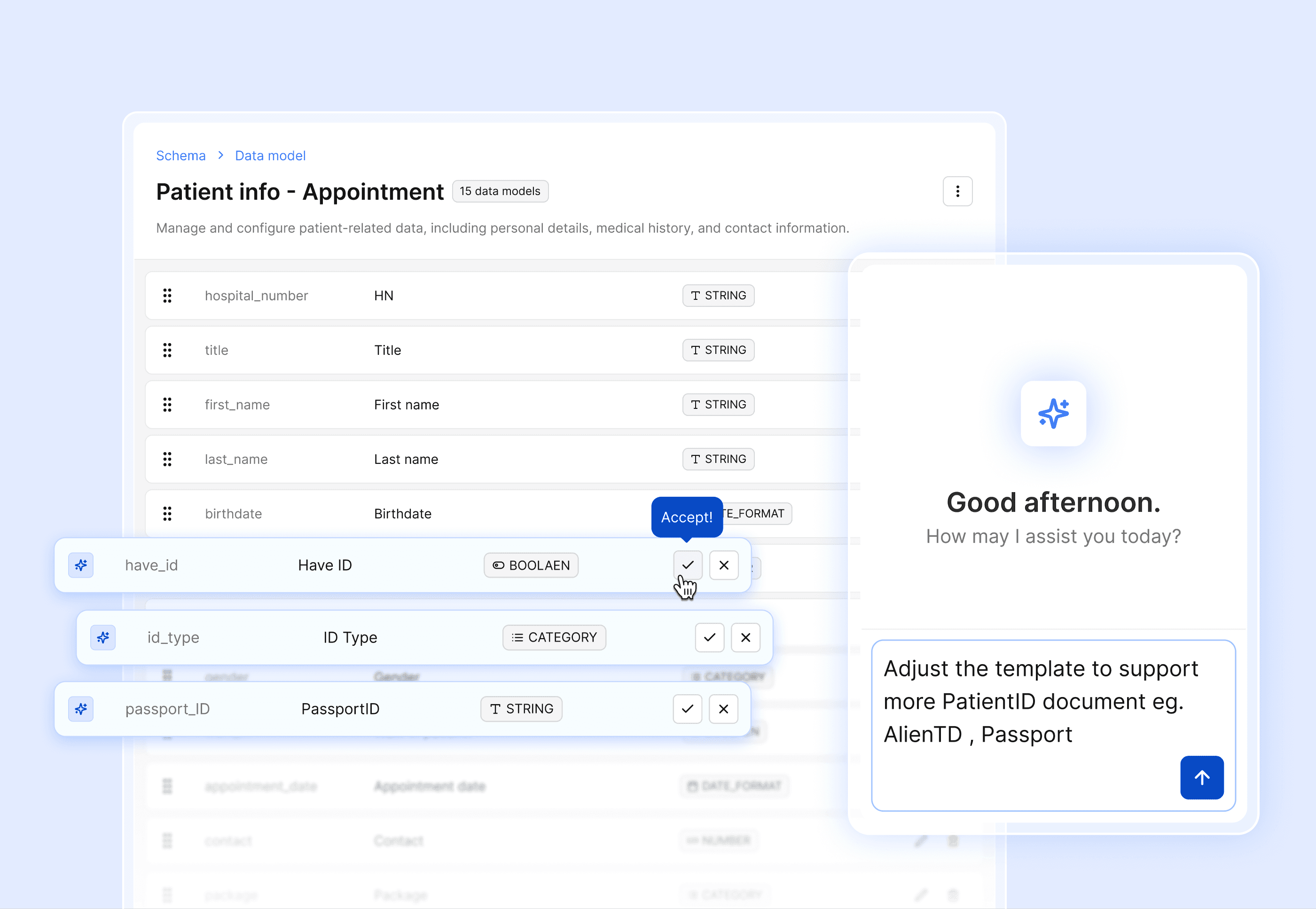
Background
In many organizations, users already have data in textual or semi-structured formats, such as CSV, JSON snippets, system logs or AI-generated templates.
After bringing this data into a platform, users commonly face several challenges:
Editing data at scale is difficult, when users cannot experiment by adjusting individual rows
Re-importing data is required whenever the origin format changes
Role & Responsibility
UX/UI Designer, Responsibility:
Define end-to-end user journeys and interaction patterns
Define the scope of the system effect
Goal:
Enable users to convert natural language input into structured data tables Focusing on context.
Allow bulk data modifications without manual, row-by-row editing.
Maintain user control through clear explanations, reversible actions, and human-in-the-loop workflows.
Constraints
Need to clarify which structure could work with the Assistant service.
Data model updates are currently sent to the backend as individual API calls, leaving no intermediate decision-making or review state.
Key Design Decisions
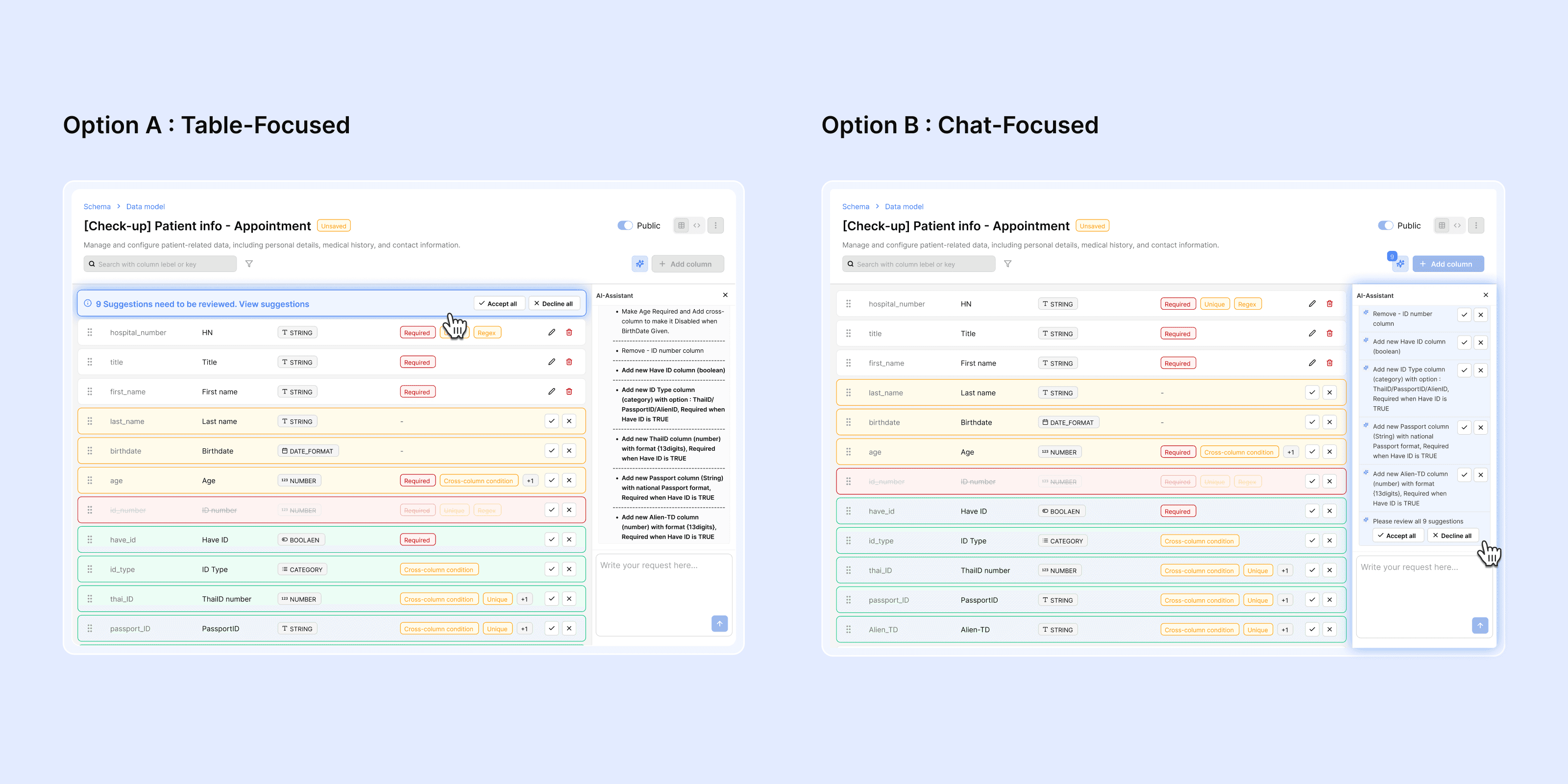
Decision 1 : User control and visibility
📝 Context : When using this feature, users would shift the default view to an applied state before they decide to tackle each change.
🟨 Option :
User interacts with all actions and full review within the assistant window.
Assistant window for Prompt and full review, Action on Table
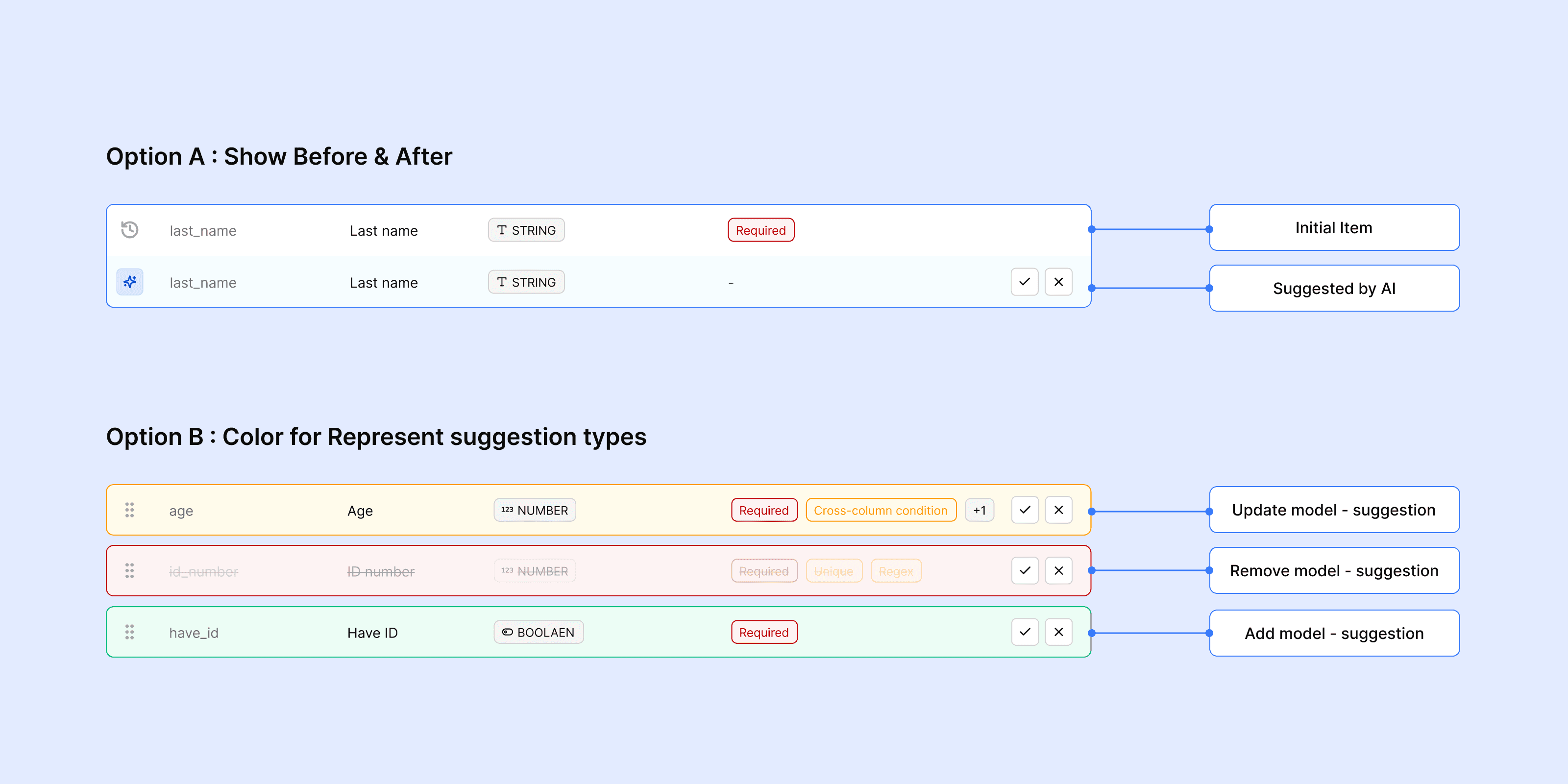
Decision 2: How to show returned-suggestion?
📝 Context : Users want to know how the data changed, then they can decide to apply it or not.
🟨 Option :
Show before and after for each item
Show 3 highlight states of suggestion: New Added, Update, Removed
Trade-offs & Limitations
Don’t allow manual editing while AI-suggestion is pending to proceed to avoid off-tracking. After implementing an Inline-editable table, we can decide which field can work in parallel.
Use 1 color to let the user focus more on indicating AI-Suggestion. Drop out 3 colours of changing types. Instead of that providing tooltips to show more details.
Don’t show Before & After because it doesn’t support:
New creation suggestion (No previous-item to compare)
Updating in details suggestion (Not every detail can be shown on the table)
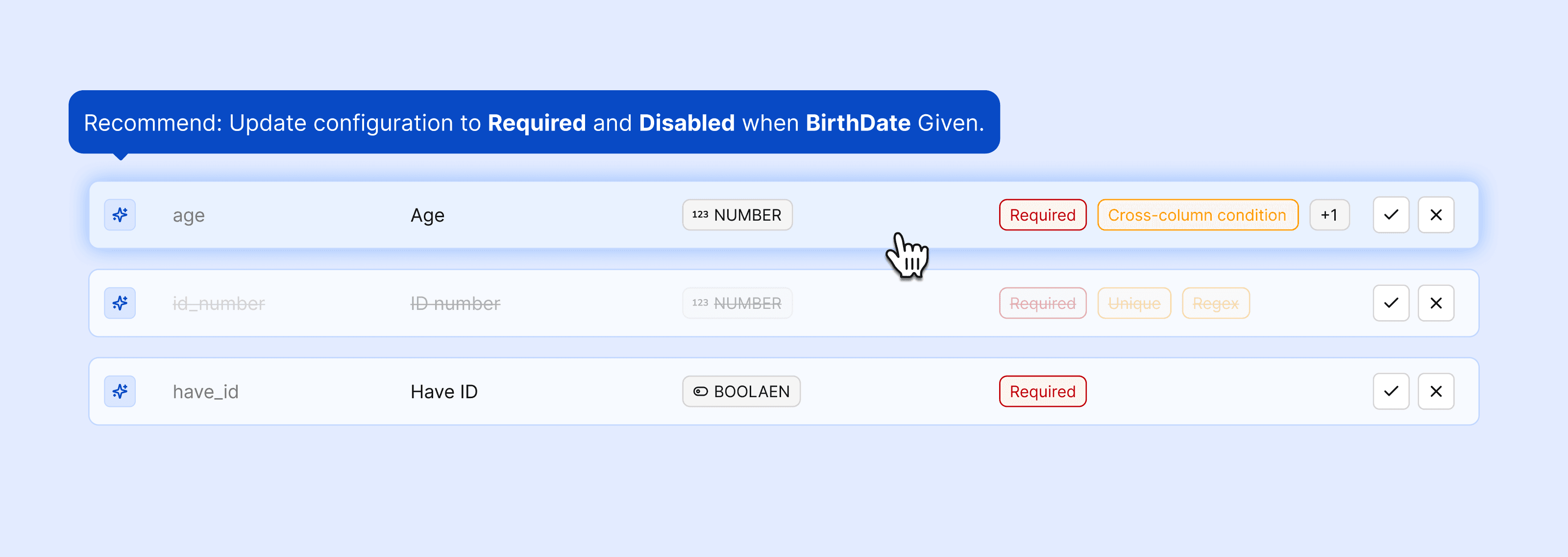
Expected Outcomes & Signals
Users can successfully convert text into structured tables in a single flow
Users can understand the impact of transformations before applying them