TypeScreen
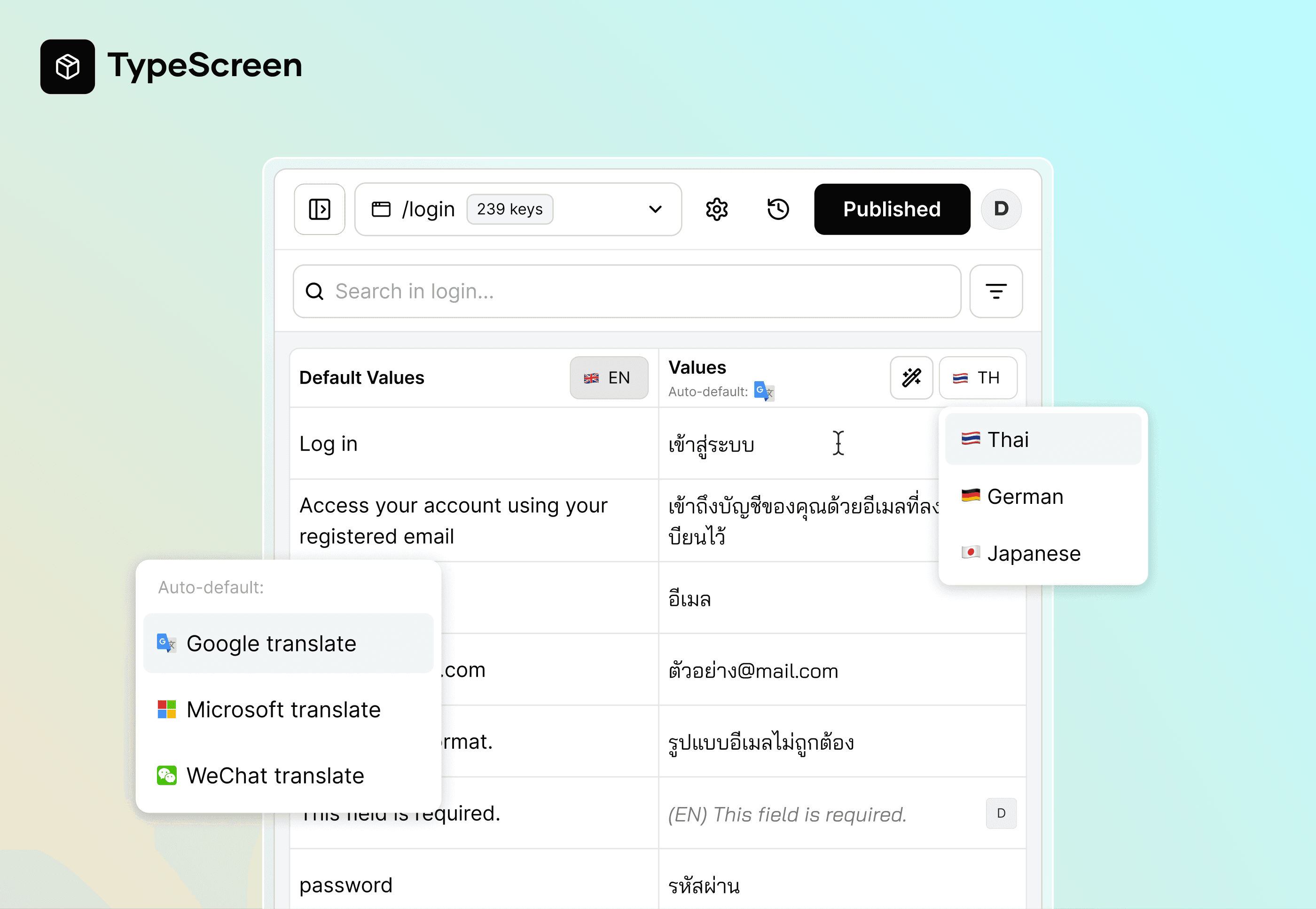
A centralized multi-language management tool that allows PMs, QAs, and UX Writers to review, edit, and validate product text across languages without relying on Figma or engineering support.
Background
When multilingual support expanded, text review and iteration became increasingly non-linear and difficult to control across teams.
Key pain points:
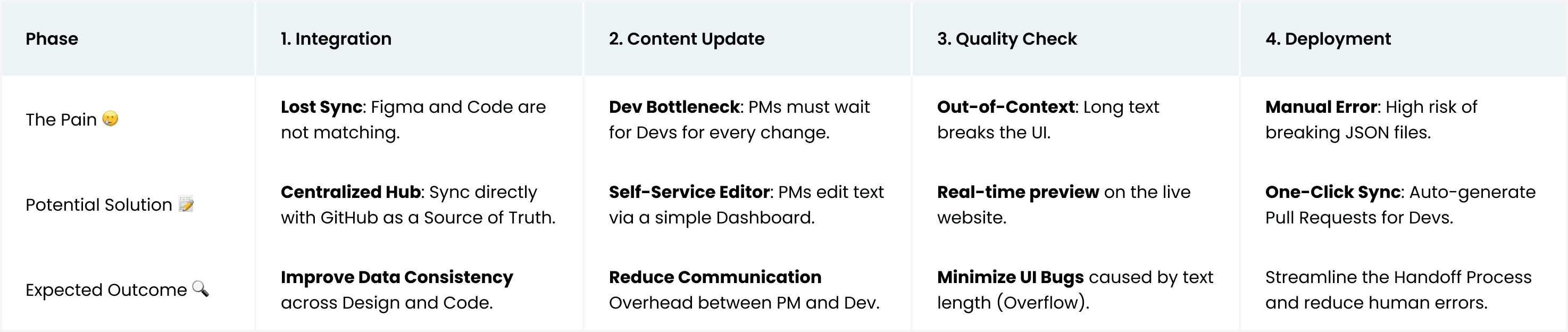
Figma’s visibility made it the assumed source of truth, while verified text lived elsewhere, unintentionally turning UI Designers into text owners.
UX Designers / Translators had no reliable workspace to write and validate text against real UI
PMs and QA were forced to manually review screens in bulk, when non-clear visibility (tooltips, hover states, edge-case validations) was easily overlooked and shipped incorrectly
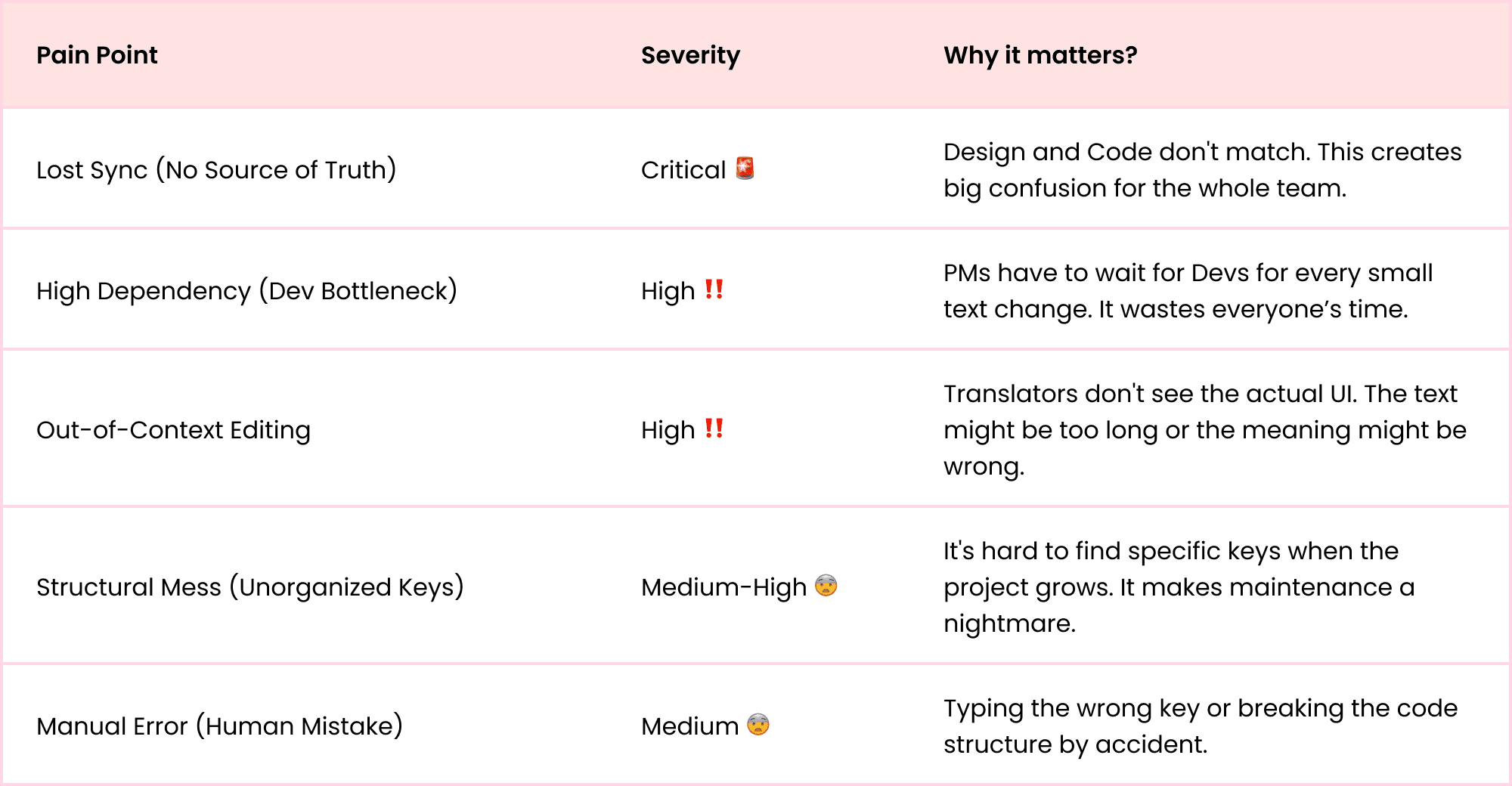
🔍 Analysis: Pain Point Severity & Impact
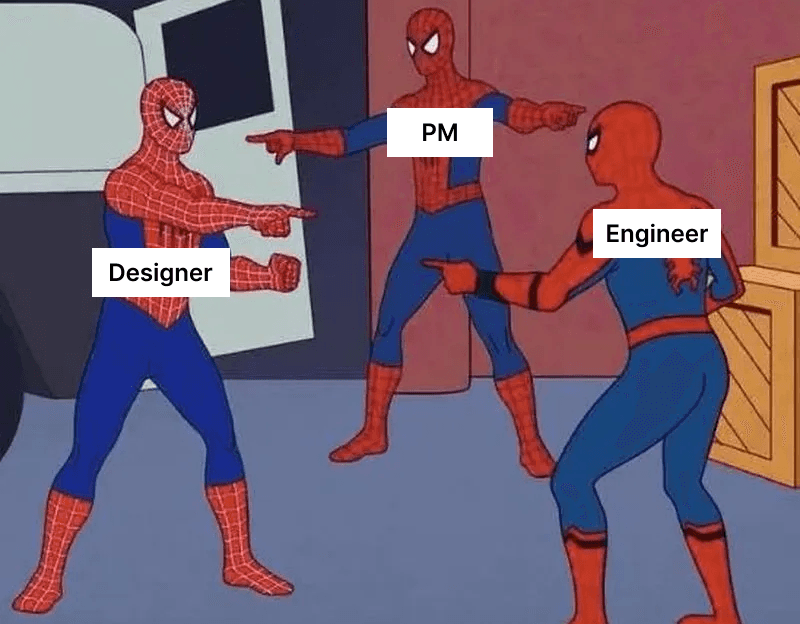
Here's our daily routine 😂
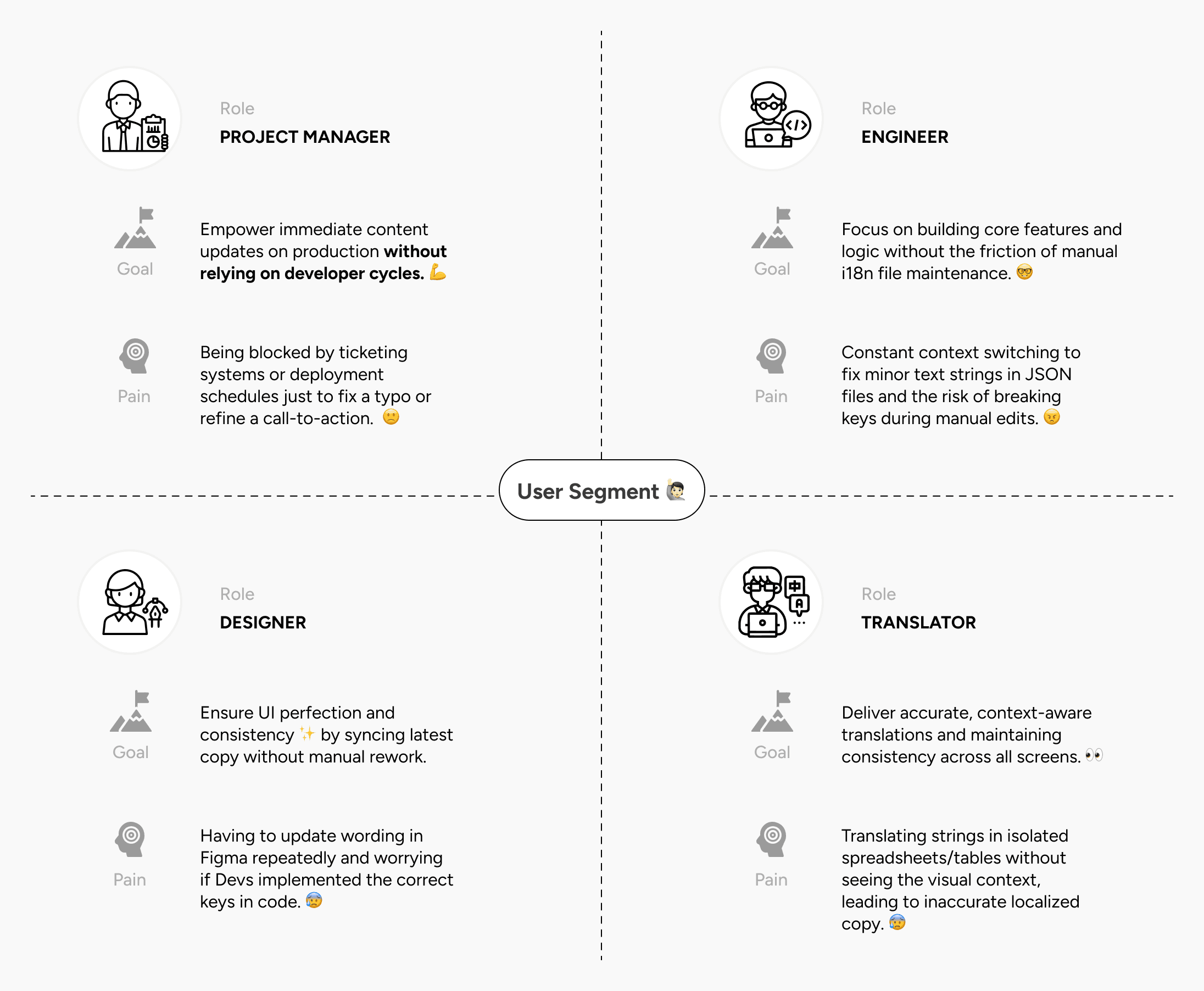
Role & Responsibility
UX/UI Designer, responsible for:
Defining action framing and user roles (PM, QA, UX Writer, Dev)
Designing the end-to-end UX flow for text management and global config
Structuring how text keys, default values, and translations are surfaced
Goal:
Create a single source of truth for all product text
Enable teams to review and update multilingual text independently, without relying on developers or UI designers
🚀 Solution Mapping:
Constraints
Text keys are mostly not nested and can be repeated across multiple screens, making structure and traceability challenging
Auto-translation must be controlled, reviewable and clear when overridden
Key Design Decisions:
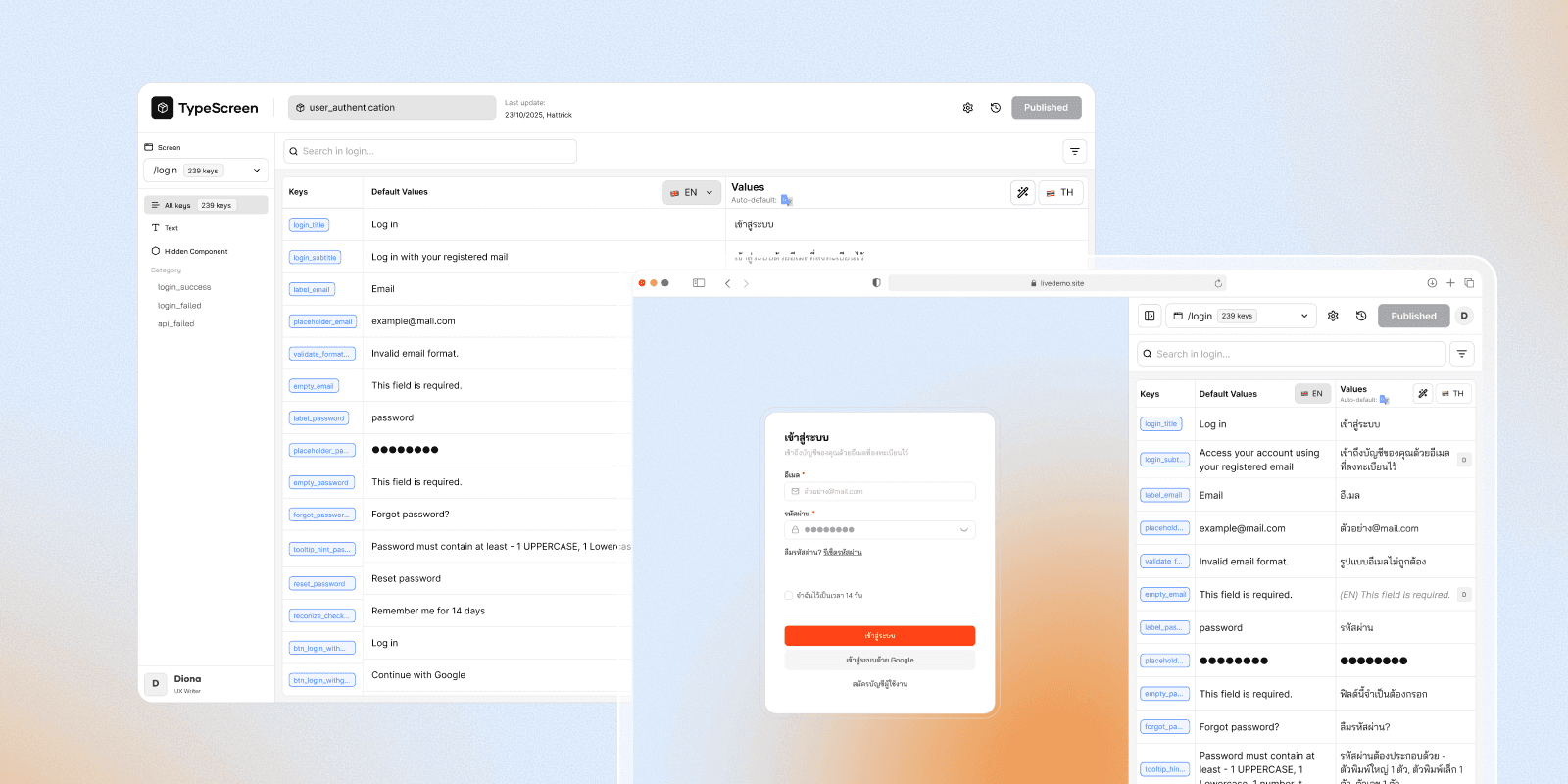
Decision 1 : Platform or Plugin or Both
Constant context switching between platforms disrupted user workflow and reduced efficiency.
Users can now sync and update text in real-time within their native workspace. This eliminates friction while maintaining full-featured functionality.
Decision 2 : Choose who does what…
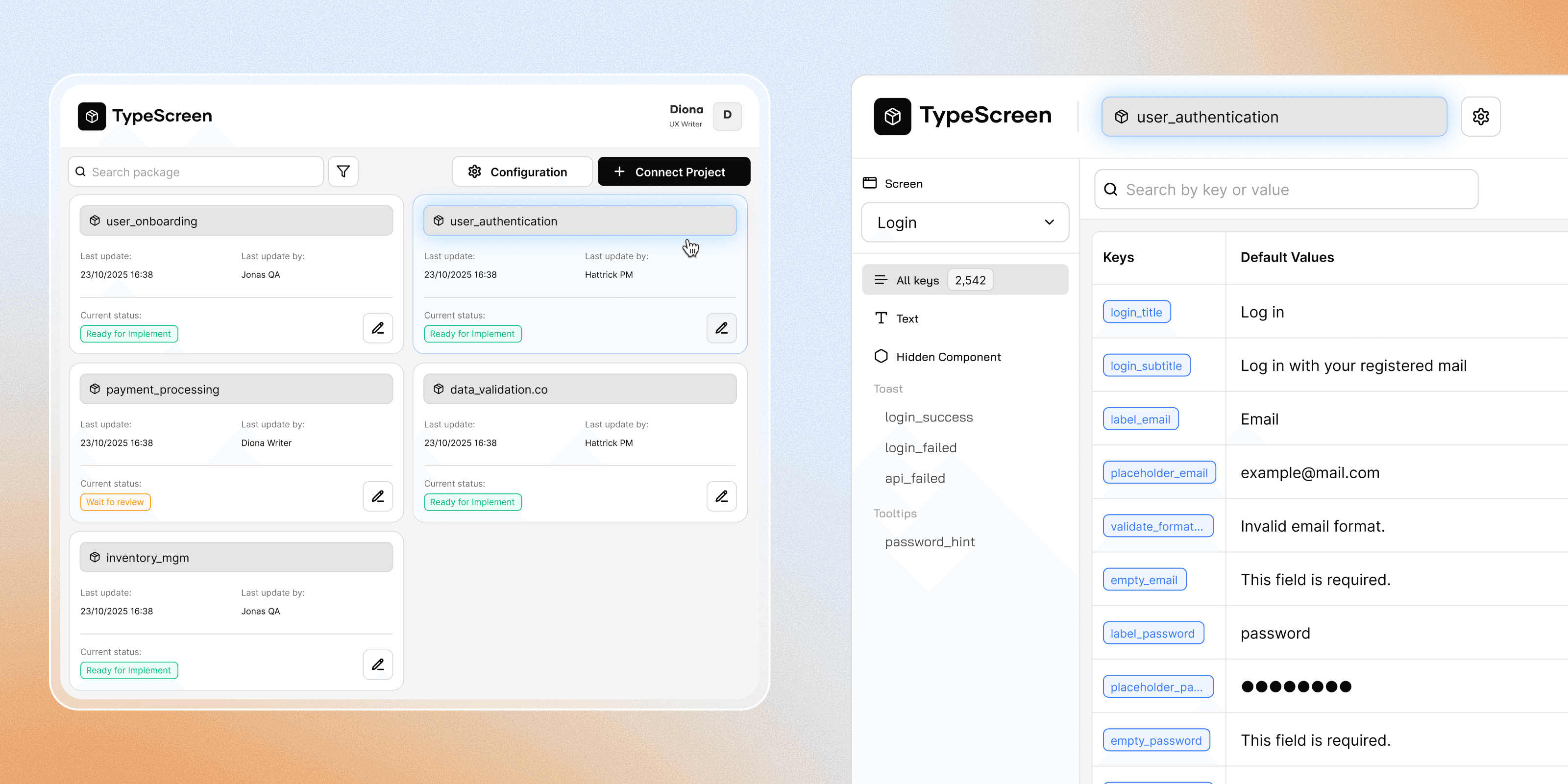
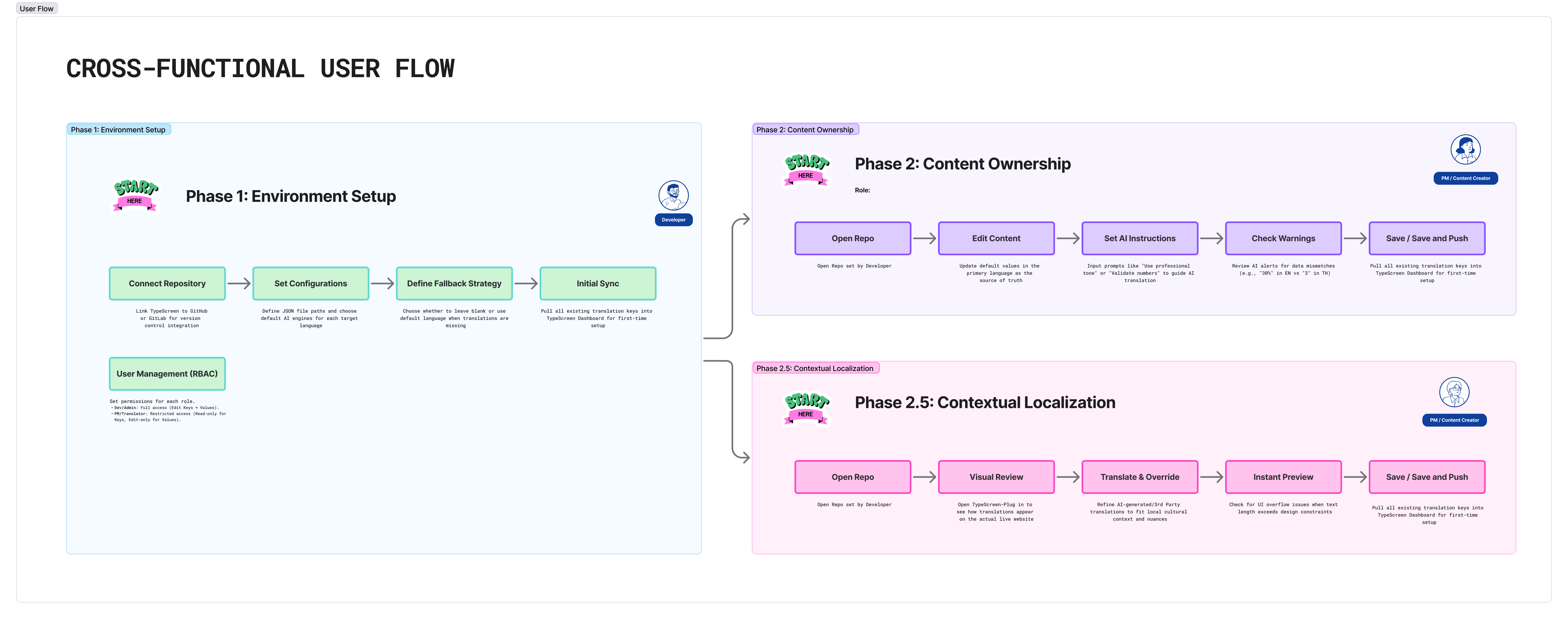
Based on the redundancy back and forth on the Developer, we decided to:
Reduce the developer's task by assigning them as set up person
Upload and configure each package using a screen or package URL
Once configured, PMs, QA, and UX Writers access the same URL to review, edit, and track text status
Content updates and review progress happen without further developer involvement
This flow keeps technical configuration controlled, while allowing non-engineering roles to manage text and validation independently.
Decision 3 : Side-by-side visibility
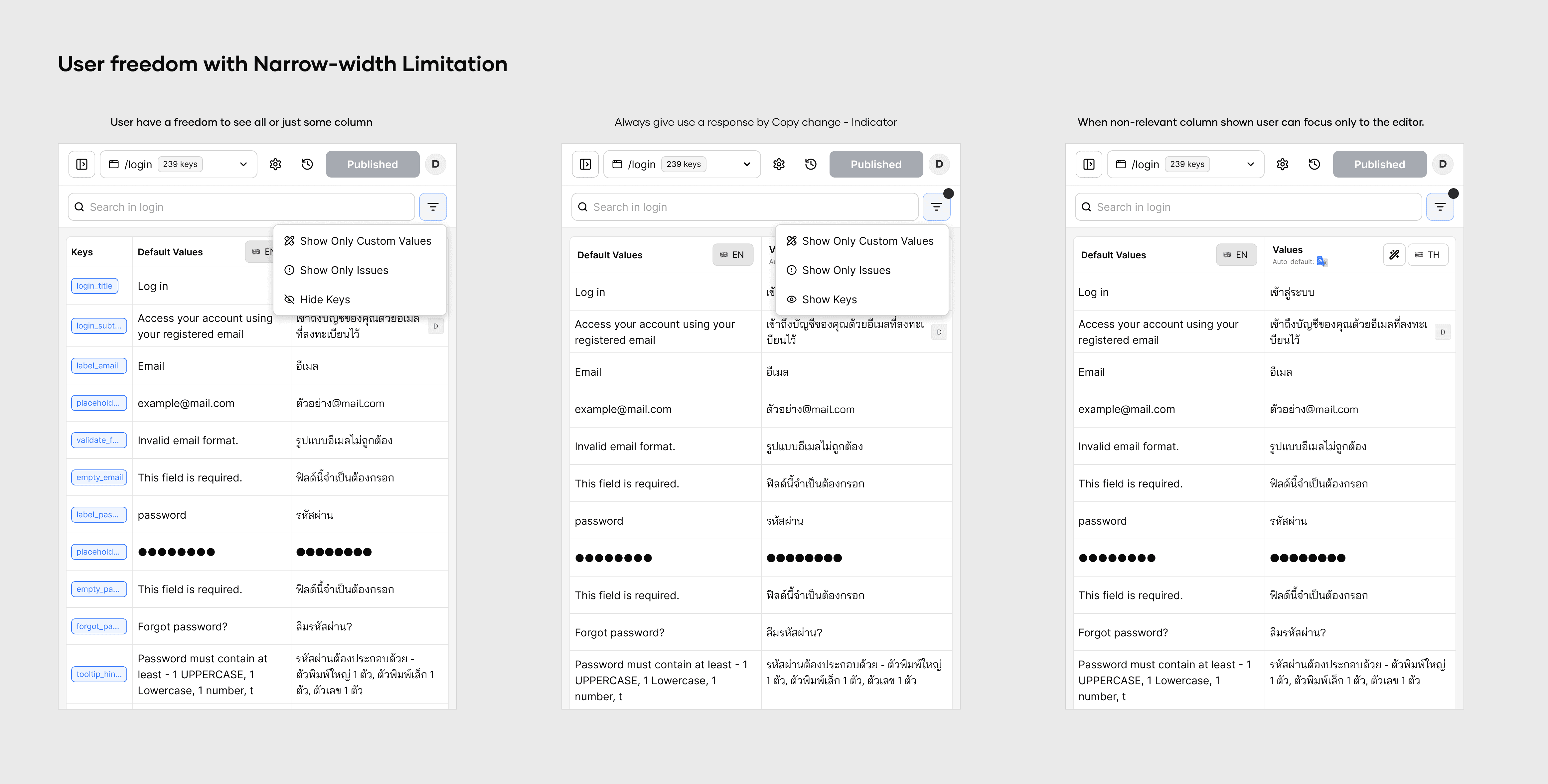
Focus on one language at a time to reduce noise and preserve tone.
Avoid showing the full localization table to save space and reduce cognitive load.
Display the default language and one selected target language only
Enable bulk editing for one language at a time to maintain tone and consistency
This approach keeps the workspace focused, makes bulk review easier, and helps writers maintain a consistent tone—without switching between design tools and documentation.
Decision 4 : Global fallback with Authorization
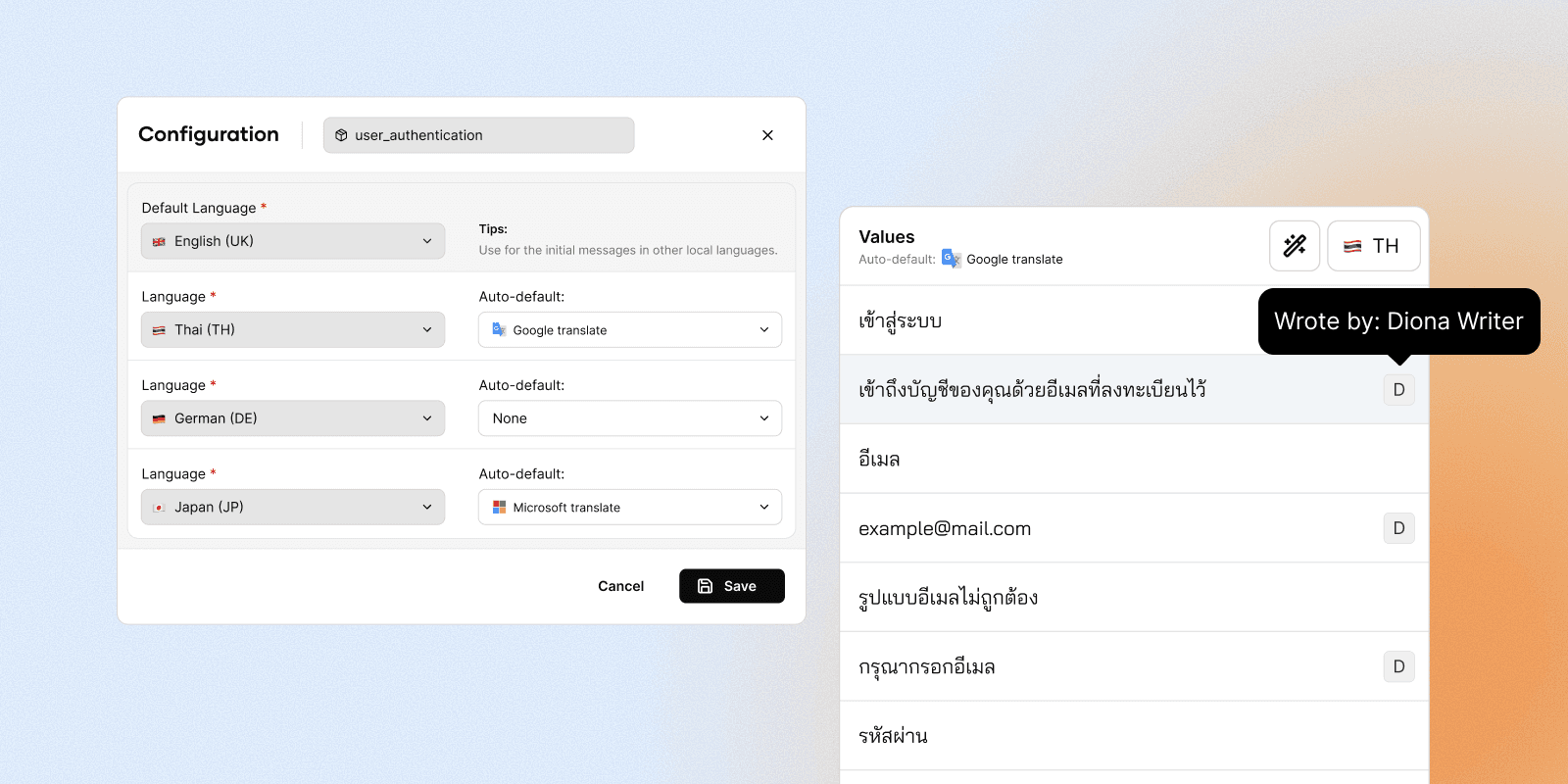
Text values are never left empty, a global fallback (e.g. EN) is used when localized content is missing
Users can choose how empty values are filled fallback language or third-party translation
When the writer edits the text, it must be marked as custom with author attribution
💬 Some of Iterations

Trade-offs & Limitations
Prioritized a fixed Key Column over maximizing space for the Editable Column.
To maintain a constant "Source of Truth." By keeping Keys visible, users always have the necessary context while editing, preventing errors. I chose data accuracy and context over layout flexibility.
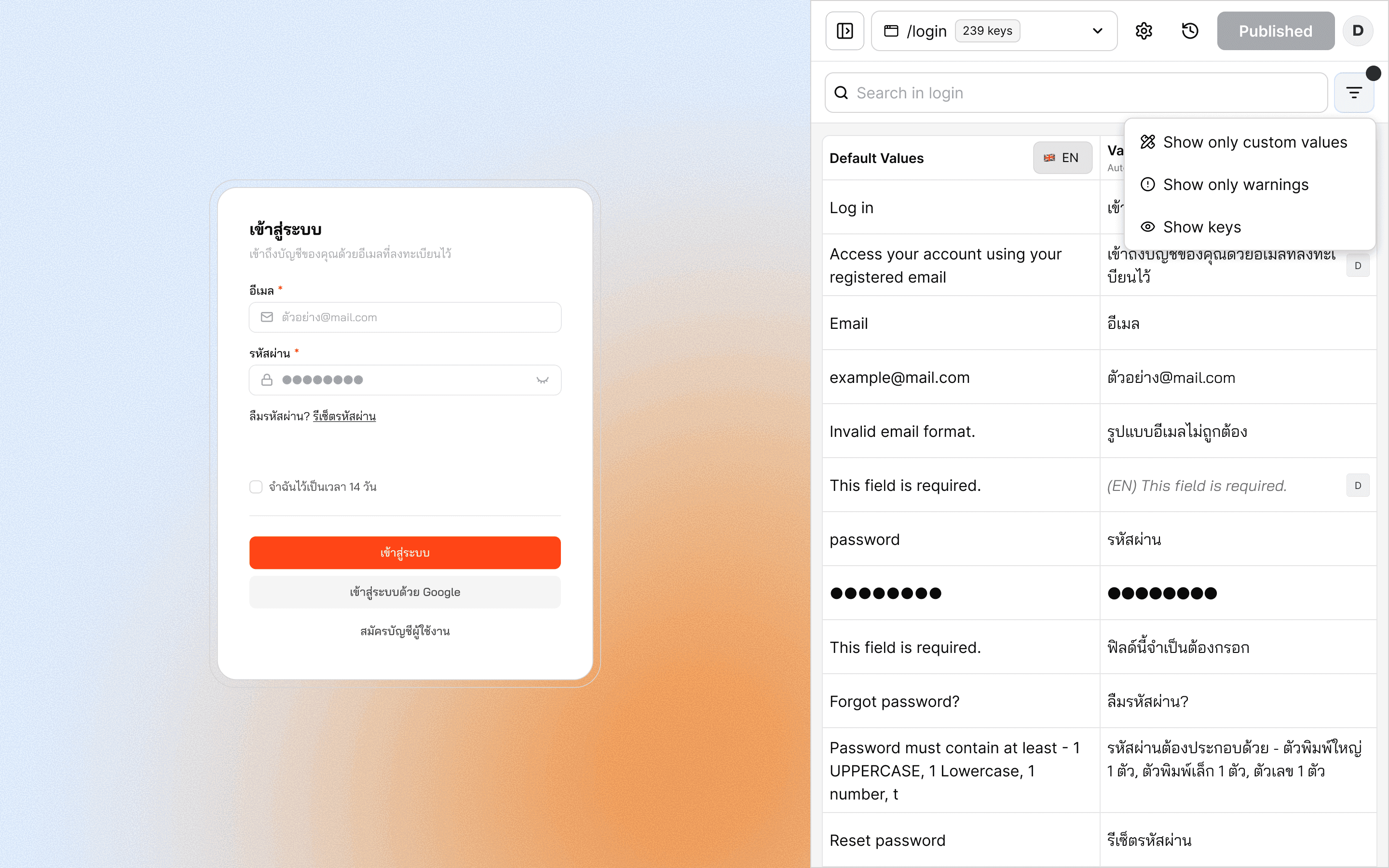
Expected Outcomes & Signals
Expected outcomes
Reduced reliance on engineering and UI designers for text-related updates
Faster copy iteration cycles, even with frequent reviews and changes
More consistent multilingual text with clear ownership and status
Signals
Reduced text-related rework during design and QA
UX Writers/PM adopt the tool as their main copy workspace.